

As we know, earlier, we learned about What Is Generative AI? Today we have another interesting topic. which is basically about, Free online utility tools are used every day by students, bloggers, freelancers, and office workers to handle simple online tasks quickly.
Most people don’t think much about online tools.
They just open a browser, upload a file, finish the work, and move on.
But if you look closely, a lot of everyday online work depends on small, free tools. Converting a PDF. Shrinking an image. Fixing grammar before publishing something. These things happen quietly in the background.
This post talks about those tools. Not in a technical way. Just how people normally use them.
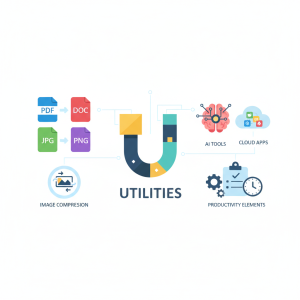
What Do We Mean by “Online Utility Tools”?
In simple terms, these are websites that help you do one small job.
Nothing fancy.
You open the site, upload a file, click a button, and download the result. No installation. No setup. Sometimes no login either.
That’s why people keep using them.
PDF Tools (Probably the Most Used)
PDF files are everywhere. College notes, office documents, forms, bills.
The problem is that PDFs are not always easy to work with.
So people use online PDF tools to:
- Change PDFs into Word files
- Convert Word files back into PDFs
- Turn PDFs into images for sharing
This is extremely common in offices and among students. Almost routine.
Editing PDFs Online
Sometimes converting a file isn’t enough.
You just want to fix one line or add a signature.
Online PDF editors help with that.
They let you:
- Edit text
- Highlight parts of a document
- Add a signature
- Combine multiple PDFs
- Work with scanned documents
It’s not perfect every time, but for quick work, it does the job.
Image Compression and Resizing
This one matters a lot for websites.
Large images slow things down. Pages load slowly. Visitors leave.
Because of that, many bloggers and site owners use image tools to reduce file size. They also resize images for posts or social media.
Most of these tools are very straightforward. Upload. Adjust. Download. Done.
Video-Related Online Tools
Some users want to save videos for offline viewing or learning purposes. Others use them for reference.
That’s where video tools come in.
They are commonly used with platforms like YouTube, Instagram, Facebook, and TikTok.
Of course, people should still respect copyright rules. That part matters.
Writing and Grammar Tools
Not everyone writes confidently. And even good writers make mistakes.
Grammar tools help clean things up.
They fix spelling issues, suggest better sentences, and make writing easier to read. Bloggers, students, and freelancers use them a lot, especially before publishing something publicly.
AI-Based Tools (Used More Than People Admit)
AI tools are everywhere now.
Some people use them for ideas.
Some use them for drafts.
Others just want help rephrasing something.
These tools are popular because they save time. You don’t need technical knowledge. You just type and see results.
Used carefully, they can be helpful.
Why People Rely on Free Online Utility Tools
There’s no single reason. It’s a mix of things:
- They are easy to access
- Most are free
- They work on phones and laptops
- No installation needed
- They save time
For many people, that’s enough.
Final Thoughts
Free online utility tools don’t get much attention, but they quietly support a lot of daily online work. From documents to images to writing, these tools solve small problems quickly.
If you work online in any way, chances are you already depend on them, whether you realize it or not.
What are online utility tools?
They are simple websites that help with tasks like file conversion, editing, compression, and basic writing help.
Are these tools safe to use?
Most popular ones are safe, but uploading sensitive documents to unknown sites is never a good idea.
Do they work on mobile phones?
Yes. Many are designed to work on both mobile and desktop browsers.
Which tools are useful for bloggers?
Image compressors, grammar tools, PDF tools, and basic AI writing tools are commonly used.
Is registration required?
Often no. Some tools work without accounts, though limits may apply.